Posts

Lab 35 Reflection

Image
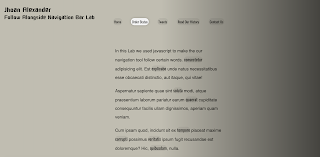
Jhoan Alexander WCP Reflection This lab was made with a Javascript 30 tutorial. JavaScript 30 is an online resource website which supplies alumni with Javascript tutorials. In this lab it required HTML, CSS and Javascript.  In this lab, we constructed the highlighted text seem like it was your ghost by following you by highlighting linked words in the text. We did this by making a constant using a querySelector that would select all the a tags. The text in these a tags would then be highlighted. We then made a constant that would highlight this text when hovered upon, which was then implemented into a function. This function would set the style in which the text was highlighted. Finally, we set a trigger that would sense when the mouse hovered over the text. Overall an intriguing lab which I as a webs designer will use in my future website as it is great at helping with navigation bars.

Lab 34 Reflection

Image
Jhoan Alexander WCP Reflection This lab was made with a Javascript 30 tutorial. JavaScript 30 is an online resource website which supplies alumni with Javascript tutorials. In this lab it required HTML, CSS and Javascript.  In this lab we created a compass which would point to whatever direction you were facing in, and the speed at which somebody is going. We did this by making separate constants for both the speed and direction. After that, we used  navigator.geolocation.watchPosition to sense the speed at which someone was going. To rotate the arrow of the compass, we accessed the css through javascript based on the direction that the person is pointing to using  arrow.style.transform = `rotate(${data.coords.heading}deg). This lab was constructed with a tutorial, I didn't face much issues as they were resolved through looking at the video and finding my error. Overall a great lab and now I'll never get lost, all I have to do is open my lab 34.

Lab 33 Reflection

Image
Jhoan Alexander WCP Reflection This lab was made with a Javascript 30 tutorial. JavaScript 30 is an online resource website which supplies alumni with Javascript tutorials. In this lab it required HTML, CSS and Javascript.   In this lab we constructed a speech detection device that would write in the provided space anything you were saying even some foul language. We did this by using the recognition element to be able to detect speech. We then created a constant containing the p tag in which the text was typed on to. The speech that was detected would be put on to there. This lab was constructed with the use of a Javascript tutorial, I didn't face any problems because the video was there guiding me with the code and how they work. Overall a interesting lab now I know how Siri is able to compute what I say to her on the daily.

Lab 32 Reflection

Image
Jhoan Alexander WCP Reflection This lab was made with a Javascript 30 tutorial. JavaScript 30 is an online resource website which supplies alumni with Javascript tutorials. In this lab it required HTML, CSS and Javascript  In this lab we had to create a photo booth using javascript. We also had to add effects to the camera, and be able to take a picture and display it at the bottom. We did this by adding out video tag into a constant using querySelector. We then used  navigator.mediaDevices.getUserMedia in order to obtain the user's webcam access. Then we made another function that would that would paint certain colors onto the area where the webcam feed was displayed. In order to take a photo, we made a new function using the snap element, and also added where the image would be placed. Overall a simple lab with the help of Javascript 30 by providing an in-depth tutorial.

Lab 31 Reflection

Image
Jhoan Alexander WCP Reflection This lab was made with a Javascript 30 tutorial. JavaScript 30 is an online resource website which supplies alumni with Javascript tutorials. In this lab it required HTML, CSS and Javascript. In this lab, we had to add up the length of all the videos in a list and display it on the console log. We did this by adding a data-time attribute to the li tags containing a certain amount of time. Then using querySelector, we selected all the data-time attributes and placed them in a constant. We then made separate constants for the hours and minutes. In these constants the total hours and minutes would be calculate and would then be displayed on the console log. We did this using javascript. Overall an easy lab with the use of the tutorial by side.

Lab 30 Reflection

Image
Jhoan Alexander WCP Reflection This lab was made with a Javascript 30 tutorial. JavaScript 30 is an online resource website which supplies alumni with Javascript tutorials. In this lab it required HTML, CSS and Javascript. This lab required the use of Javascript to make a table displaying my favorite bands. With just a <ul> tag I was able to make this table. This could have been constructed with just plain HTML and a bit of CSS but also with Javascript and that is what I did. It just included an array which was preset so like Jack boys it was already in the array it just needed to be displayed. Overall an intriguing and questionable lab should it have been done with Javascript?

Lab 29 Reflection

Image
Jhoan Alexander WCP Reflection This lab was made with a Javascript 30 tutorial. JavaScript 30 is an online resource website which supplies alumni with Javascript tutorials. In this lab it required HTML, CSS and Javascript. In this lab we made a shadow appear through a function with X and Y being the mouse position. This lab had a tutorial which I used to construct this lab. It was a fairly easy lab the Javascript was just 15 lines of code with one function displaying the shadow of the text at different positions when X and Y was moved. Overall a fairly simple and intriguing lab to do.